 Clockwise
Your day, simpler.
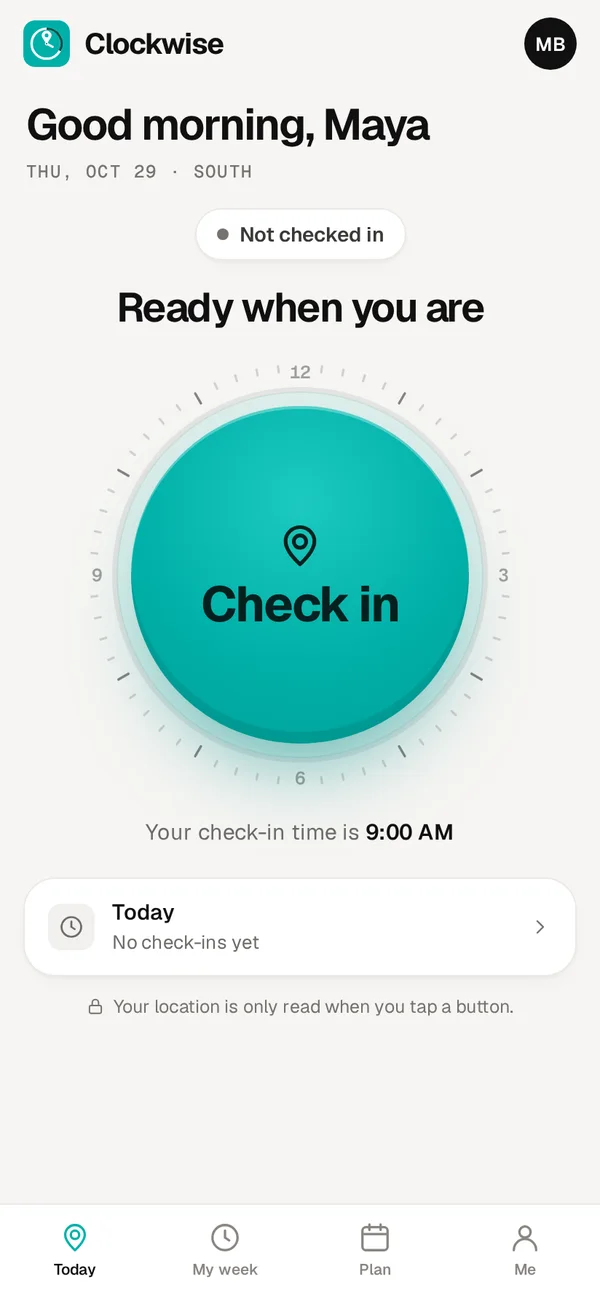
One tap when you arrive, one tap when you leave. No calls, no texts, no paperwork.
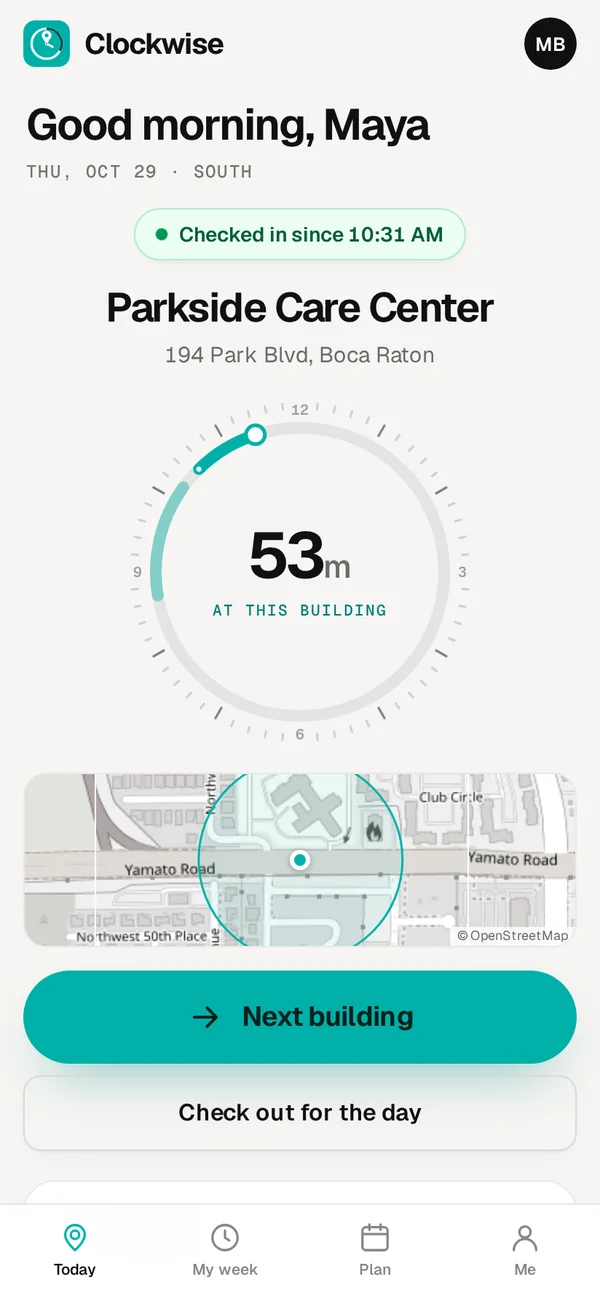
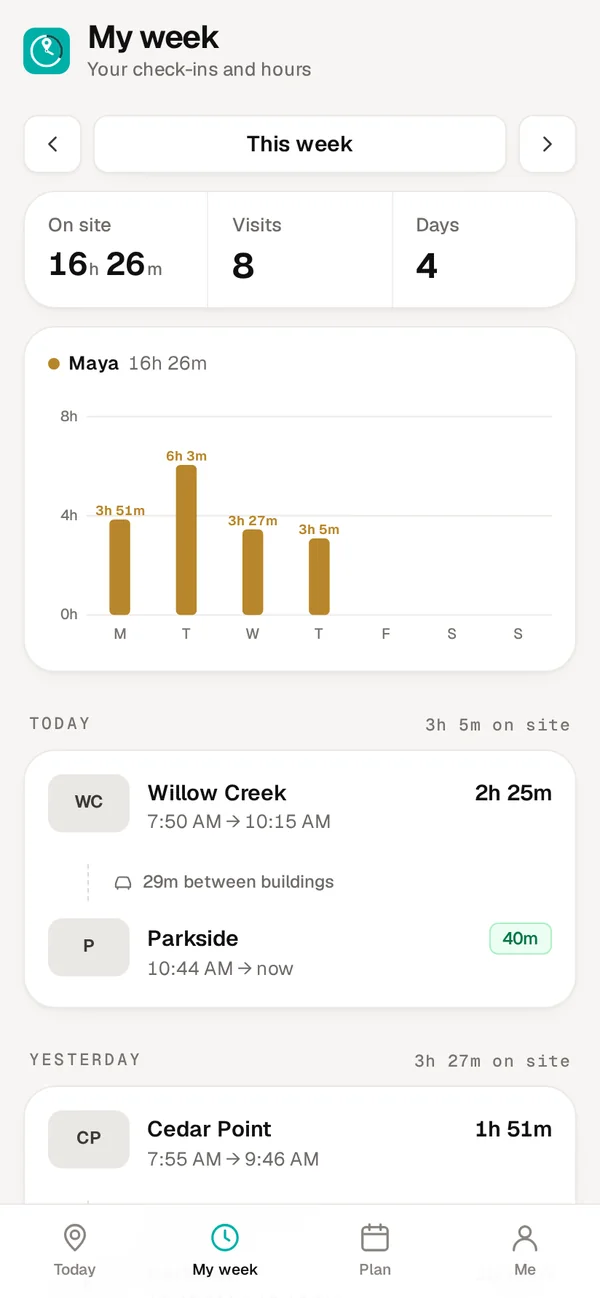
Your hours, always right.
Every check-in goes straight into your week. You see your own time at each building, every day, and your total.
- Nothing to write down or add up
- Look back at any week
- Nothing gets lost
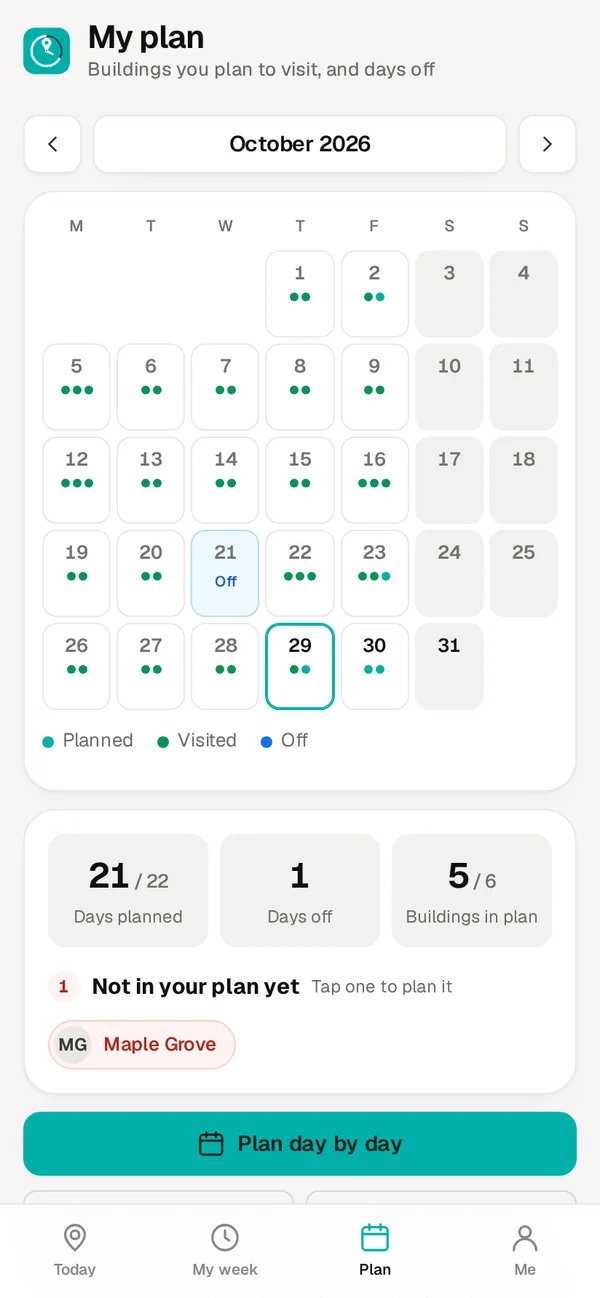
Plan your month.
Choose which buildings you'll visit on which days. As you check in, each planned visit turns green, so you can see what's planned and what's done.
- Copy last month's plan, or repeat a week
- See which buildings aren't planned yet
- Your plan, not a rule. Change it any time
Private by design.
Clockwise reads your location only at the moment you tap Check in or Check out. Never in between, and never in the background. Your day is your own.
Made for days on the road.
Big buttons, plain words, and help when you need it.
Friendly reminders
A gentle reminder just before your check-in time, one more if you haven't checked in yet, and one if you're still checked in at the end of the day. Running late? Snooze it.
Works without signal
No signal in the basement? Check in anyway. It's saved on your phone with the real time and sent when you're back online.
Android and iPhone
Add it to your home screen from the browser and it opens like an app. No app store, nothing to update.
Ready in a minute.
Nothing to download from a store.
Open your invite link
Your manager sends it by text or WhatsApp.
Pick a username and password
Your phone stays signed in after that.
Add it to your home screen
Turn on reminders, and you're set.
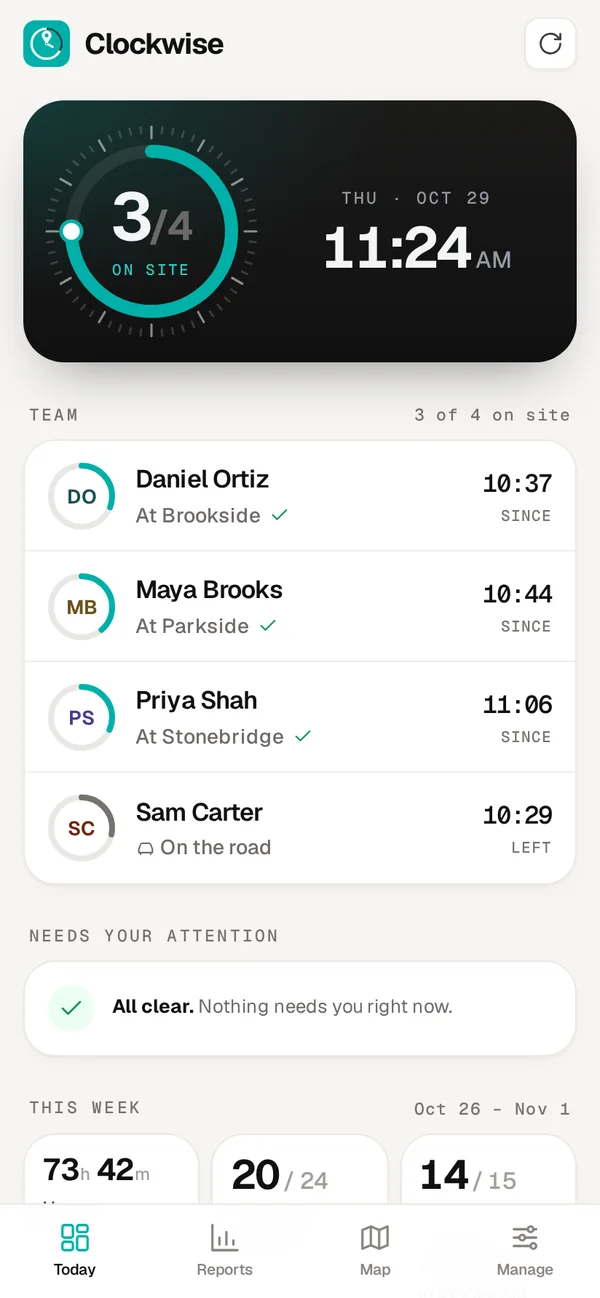
Your whole team, at a glance.
A simple admin view for the people who run the team.
- Live team view. Who's on site right now, and at which building.
- Alerts. A heads-up on your phone for late or missed check-ins.
- Reports. Hours, visits and on-time starts. Excel, PDF or CSV.
- Plan vs. actual. Each month's plan next to what was really done.
- Daily backups. Your data saved every day, 35 days kept.
- Invite links. Add a person and send their link by text or WhatsApp.
Your company gets its own private space. We set it up and send your admin an invite link.
Sign in to Clockwise
Use the username and password you chose from your invite link. Your phone stays signed in.